How to Keep Your Tesla Touchscreen Glare-Free
By WattCabin · 6 min read · Updated June 2026
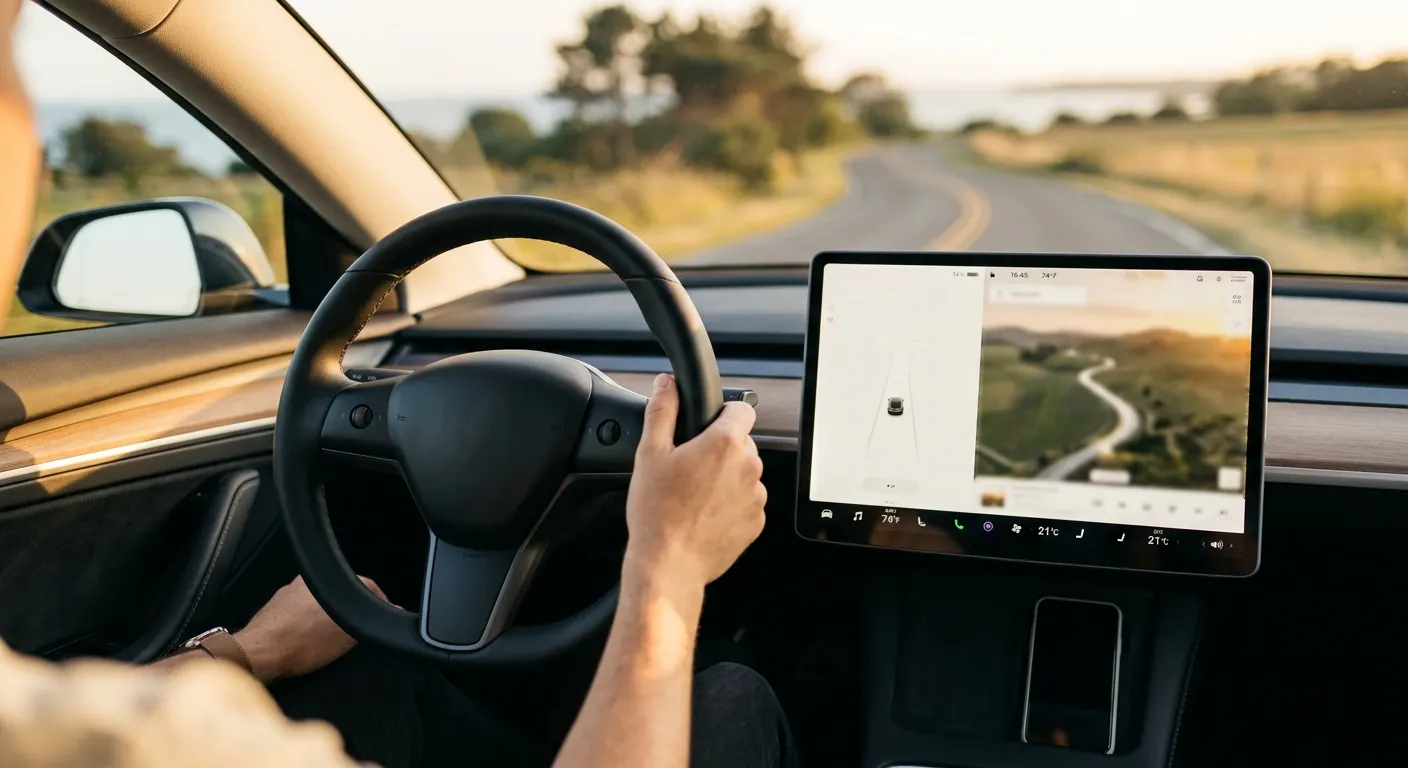
Everything in a Tesla runs through the center touchscreen, so glare from an afternoon sun or a smear of fingerprints is more than a cosmetic annoyance. It makes the car harder to use. The good news is that a glare-free display is mostly a solved problem: a matte tempered-glass protector like the Spigen GLAStR EZ FIT Tempered Glass (Center Display) does the heavy lifting, and a few habits and settings handle the rest. Here is how to get there and keep it that way.
Quick answer
Fit a matte anti-glare tempered-glass protector sized to your exact screen, installed dust-free so no specks create glare hotspots. Add a glass-roof sunshade to cut overhead light, turn on auto brightness and dark mode, and wipe the screen with a dry microfiber a few times a week. Skip household glass cleaner.
This guide contains affiliate links. WattCabin may earn a commission at no cost to you.
Why Tesla screens glare in the first place
Tesla center displays are large, glossy, and mounted nearly vertical, which means they catch direct and reflected sunlight from a wide range of angles. The glossy finish that makes the display look crisp indoors is exactly what turns it into a mirror outdoors.
Fingerprints make it worse. Oil from your fingertips scatters light, so a screen you have been tapping all day glares more than a clean one. That is why glare control and fingerprint control go hand in hand.
A matte screen protector is the real fix
The most effective single step is a matte, anti-glare tempered-glass protector. The matte surface diffuses incoming light instead of reflecting it back at you, which is what cuts glare at the source rather than just dimming the screen.
The Spigen GLAStR EZ FIT Tempered Glass (Center Display) is our default pick because its alignment tray makes a bubble-free install easy and its oleophobic coating fights fingerprints too. It is sized for the 15.4-inch Highland and Juniper display, so confirm your screen version first. Owners of a Model S or X with the 17-inch landscape screen want the Tapole Tempered Glass Screen Protector (Model S/X 17" Landscape) instead, and if you have a rear display the Spigen GLAStR Slim Anti-Glare (Rear Screen) adds the same matte protection there.
There is one honest trade-off: matte finishes slightly soften screen sharpness. If pin-sharp clarity matters more to you than glare, the clear-glass Abstract Ocean Tempered Glass Screen Protector keeps the display crisp but does less against reflections. Most owners in sunny climates happily take the matte trade.

Spigen GLAStR EZ FIT Tempered Glass (Center Display)
The easy-install benchmark, 9H tempered glass with an alignment tray and matte anti-glare, anti-fingerprint finish.
Abstract Ocean Tempered Glass Screen Protector
Tesla-specialist brand-direct protector with a clear-glass option for owners who don’t want matte softening.
Install it clean, or the glare gets worse
A protector applied over dust traps specks under the glass that scatter light and create permanent glare hotspots. Spend the extra two minutes on prep. Park out of direct sun so you can see dust, wipe the screen with the included alcohol pad, then lift any remaining particles with the dust-removal sticker before you lay the glass down.
Keep a couple of lint-free microfiber towels on hand for the final buff. A clean, bubble-free install is the difference between a protector that disappears and one you notice every drive.

Tesla-Friendly Microfiber Detailing Towel Pack
Soft, scratch-free microfiber towels for wiping down the touchscreen, piano-black trim, and glossy console.
Cut the heat that drives screen glare conditions
Reducing how much sun pours into the cabin helps the whole front environment, including reflections bouncing onto the display from a bright dashboard. A glass-roof sunshade like the VION Glass Roof Sunshade cuts the flood of overhead light and lowers cabin heat at the same time.
For the fastest in-and-out, Tesery Dual-Layer Glass Roof Sunshade pops in tool-free. It will not eliminate direct front-window glare, but it noticeably calms the bright, washed-out conditions that make a screen hardest to read.

VION Glass Roof Sunshade
UPF 50+ shade blocking 95% of UV with multi-layer insulation that meaningfully drops cabin heat.
Settings and habits that help
Set the display to Auto brightness so it ramps up in bright light, which improves readability against glare even though it does not remove the reflection. Switching the UI to dark mode also reduces the bright white surfaces that reflect most aggressively.
Then keep the glass clean. Wipe the screen with a dry microfiber towel a few times a week, and use a slightly damp one for stubborn smears, never a household glass cleaner, which can degrade the oleophobic coating over time. A clean matte screen in dark mode is about as glare-free as a Tesla display gets.
Featured in this guide
Spigen GLAStR EZ FIT Tempered Glass (Center Display)
The easy-install benchmark, 9H tempered glass with an alignment tray and matte anti-glare, anti-fingerprint finish.
Abstract Ocean Tempered Glass Screen Protector
Tesla-specialist brand-direct protector with a clear-glass option for owners who don’t want matte softening.
Spigen GLAStR Slim Anti-Glare (Rear Screen)
Rear-touchscreen protection for Highland Model 3 and Juniper Model Y with the same 9H matte glass.
VION Glass Roof Sunshade
UPF 50+ shade blocking 95% of UV with multi-layer insulation that meaningfully drops cabin heat.
Tesla-Friendly Microfiber Detailing Towel Pack
Soft, scratch-free microfiber towels for wiping down the touchscreen, piano-black trim, and glossy console.
Keep reading
Related comparisons
Related roundups
FAQ
Frequently asked questions
What is the most effective way to reduce Tesla touchscreen glare?+
A matte, anti-glare tempered-glass protector is the single most effective step. Its matte surface diffuses incoming light instead of reflecting it back at you, which cuts glare at the source rather than just dimming the screen. Pair it with a clean install, dark mode, and auto brightness, and a sunny-day display becomes genuinely readable again.
Does a matte screen protector make the display look worse?+
There is one honest trade-off: matte finishes slightly soften screen sharpness compared to bare glossy glass. Most owners in sunny climates happily take that trade because the glare reduction is worth far more day to day. If pin-sharp clarity matters most to you, a clear-glass protector keeps the display crisp but does much less against reflections.
How should I clean a Tesla screen without ruining the coating?+
Wipe it with a dry microfiber towel a few times a week, and use a slightly damp microfiber for stubborn smears. Avoid household glass cleaners, which can degrade the oleophobic anti-fingerprint coating over time. Fingerprints scatter light and worsen glare, so keeping the glass clean is part of keeping it glare-free, not just cosmetic.