Are Tesla Screen Protectors Worth It? An Honest Verdict
By WattCabin · 7 min read · Updated June 2026
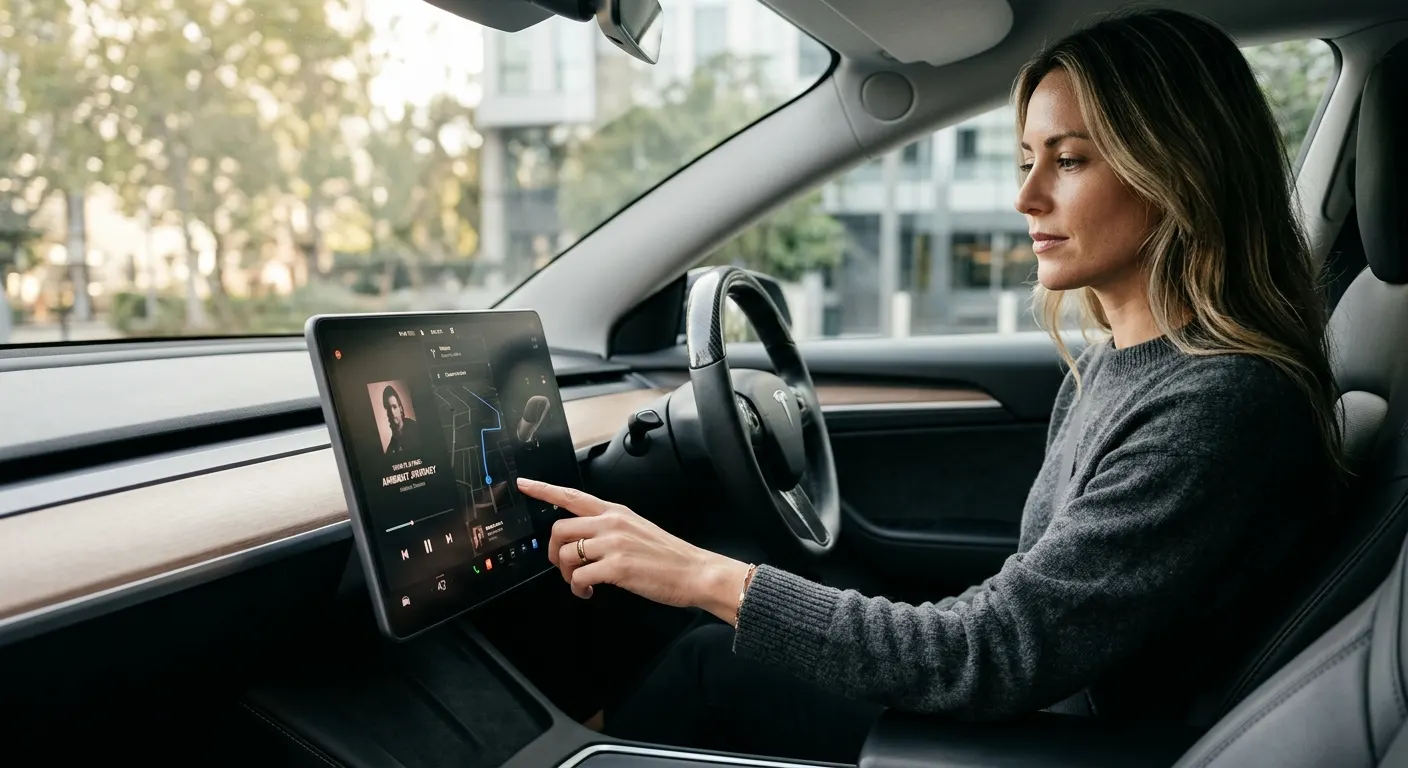
Worth it. That is the short answer for most Tesla owners, and the case comes down to one practical number: an out-of-warranty Tesla center screen replacement can run over $1,000, while a quality tempered-glass protector costs $20 to $60. The calculus is not complicated. But 'worth it' has conditions. A matte protector is the right call in a sunny climate with a lot of direct-sun driving. A clear glass protector is worth considering if screen clarity matters more than glare reduction. And for some owners in mild climates with dark window tint, the bare screen is genuinely fine. Here is the honest breakdown.
Quick answer
For most owners, yes. A $20 to $60 tempered-glass protector guards a center screen that can cost over $1,000 to replace out of warranty, and a matte version cuts glare and fingerprints daily. Choose matte for sunny climates, clear glass if sharpness matters most. The weak case is a mild, low-glare, garaged car. Always pick tempered glass over film.
This guide contains affiliate links. WattCabin may earn a commission at no cost to you.
The core case for a protector
Tesla center displays sit nearly vertical and are the most-touched surface in the car. Keys, rings, and watches can scratch the glass. Fingerprints under direct sun turn a crisp display into a greasy mirror. And while Tesla's display glass is durable, it is not scratch-immune.
The financial argument is not hype. If a scratch or a crack forces a screen replacement outside the warranty period, you are looking at a repair bill that is many times the cost of a protector. Even if you never scratch the screen, a matte tempered-glass layer cuts fingerprints and glare every single drive. That daily benefit is worth something independent of the insurance angle.
The Spigen GLAStR EZ FIT Tempered Glass (Center Display) is the most-used protector in the Tesla community. Its alignment tray makes a bubble-free install easy, it comes in a matte anti-glare version, and it is cut for the 15.4-inch center display on the Highland Model 3 and Juniper Model Y. That is the screen in the majority of cars on the road today.

Spigen GLAStR EZ FIT Tempered Glass (Center Display)
The easy-install benchmark, 9H tempered glass with an alignment tray and matte anti-glare, anti-fingerprint finish.
Matte versus clear glass: which to choose
Matte and clear are not opposites: the best protectors are tempered glass with either a matte or a clear surface. Matte diffuses incoming light so it scatters rather than mirrors back at you. Clear preserves the full native sharpness of the display but does little for glare.
In a sunny climate with limited window tint, matte is the better daily driver. The glare reduction is dramatic in bright conditions, and the anti-smudge coating on good matte glass means you wipe the screen far less often. The honest trade-off is that matte slightly softens screen sharpness. Most owners adapt without noticing it within a week.
In a mild climate or a car with heavy tint where glare is rarely a problem, clear tempered glass like the Abstract Ocean Tempered Glass Screen Protector is worth considering. It keeps the display razor sharp and still gives you the scratch and impact protection without the softening. If you wear polarized sunglasses, check whether a specific glossy protector creates rainbow interference before buying. Some do at certain angles.
Owners of the refreshed Model S or Model X with the 17-inch landscape display need a separate cut. The Tapole Tempered Glass Screen Protector (Model S/X 17" Landscape) is sized for that wider screen and is a different product from the 15.4-inch sets.
Spigen GLAStR EZ FIT Tempered Glass (Center Display)
The easy-install benchmark, 9H tempered glass with an alignment tray and matte anti-glare, anti-fingerprint finish.
Abstract Ocean Tempered Glass Screen Protector
Tesla-specialist brand-direct protector with a clear-glass option for owners who don’t want matte softening.
Tapole Tempered Glass Screen Protector (Model S/X 17" Landscape)
German-glass protector cut for the refreshed Model S and Model X 17-inch landscape center display.
Do not skip the rear screen on newer cars
Highland Model 3 and Juniper Model Y cars have a second-row touchscreen. Backseat passengers use it constantly, and it collects fingerprints just as fast as the center display. The Spigen GLAStR Slim Anti-Glare (Rear Screen) is purpose-fit for the 8-inch rear display and gives it the same 9H matte protection as the front screen.
This is a companion buy that most owners overlook until the rear screen looks grimy and scratched. It costs significantly less than the center-screen protector and installs the same way. If you are already installing the front protector, add this at the same time while the cleaning supplies are out.
Spigen GLAStR Slim Anti-Glare (Rear Screen)
Rear-touchscreen protection for Highland Model 3 and Juniper Model Y with the same 9H matte glass.
When you might reasonably skip it
A screen protector is a lower priority in a few specific situations. If you live in a cloudy, mild climate, park in a garage, and do not wear jewelry or carry loose keys near the display, the daily benefit of a protector is smaller. In a fully tinted car with consistently low-glare conditions, the matte softening trade-off may not be worth it to you.
Some owners also skip the protector on a Model S or X they use mainly in controlled conditions, deciding the bare display quality is worth the risk. That is a defensible choice. The counter-argument is that once the screen is scratched you cannot undo it, and a $30 protector was the prevention.
The one situation that is genuinely a skip: a film screen protector rather than tempered glass. Films can add touch lag, bubble under heat, and peel at the edges. If you are deciding between film and nothing, nothing is often better. Stick with tempered glass.
Getting the install right
The best protector installed badly is worse than a mediocre protector installed cleanly. Dust trapped under the glass creates permanent glare hotspots that cannot be fixed without replacing the protector. Spend the time on prep.
Park out of direct sunlight where you can see fine dust, wipe the screen with the included alcohol pad, then use the dust-removal sticker to lift any remaining particles before laying the glass down. A protector with an alignment tray, like the Spigen GLAStR EZ FIT Tempered Glass (Center Display), makes this step nearly foolproof. Keep a pack of Tesla-Friendly Microfiber Detailing Towel Pack nearby for the final buff and ongoing cleaning.
Once the protector is on, let it settle for an hour before driving so the adhesive cures flat. Small edge bubbles usually work their way out. A bubble in the center of the display means you have trapped dust and will need to restart the install.
Spigen GLAStR EZ FIT Tempered Glass (Center Display)
The easy-install benchmark, 9H tempered glass with an alignment tray and matte anti-glare, anti-fingerprint finish.

Tesla-Friendly Microfiber Detailing Towel Pack
Soft, scratch-free microfiber towels for wiping down the touchscreen, piano-black trim, and glossy console.
Featured in this guide
Spigen GLAStR EZ FIT Tempered Glass (Center Display)
The easy-install benchmark, 9H tempered glass with an alignment tray and matte anti-glare, anti-fingerprint finish.
Abstract Ocean Tempered Glass Screen Protector
Tesla-specialist brand-direct protector with a clear-glass option for owners who don’t want matte softening.
Spigen GLAStR Slim Anti-Glare (Rear Screen)
Rear-touchscreen protection for Highland Model 3 and Juniper Model Y with the same 9H matte glass.
Tapole Tempered Glass Screen Protector (Model S/X 17" Landscape)
German-glass protector cut for the refreshed Model S and Model X 17-inch landscape center display.
Tesla-Friendly Microfiber Detailing Towel Pack
Soft, scratch-free microfiber towels for wiping down the touchscreen, piano-black trim, and glossy console.
Keep reading
Related comparisons
Related roundups
FAQ
Frequently asked questions
Are Tesla screen protectors actually worth the money?+
For most owners, yes. A quality tempered-glass protector costs $20 to $60 and prevents scratches on a screen that can cost over $1,000 to replace out of warranty. On top of the insurance angle, a matte version cuts glare and fingerprints on every drive in a sunny climate. If you rarely experience glare and keep the car in a garage, the case is weaker, but the downside of skipping is an unprotectable scratch.
Does a matte screen protector make the Tesla display look worse?+
It softens sharpness slightly compared to bare glossy glass. Most owners adapt quickly and prefer the glare and smudge reduction in trade. If pin-sharp clarity matters most to you, for detailed maps or video, a clear tempered-glass protector preserves full display quality while still protecting against scratches. In a mild climate with low glare, clear is a reasonable pick.
Does a screen protector add touch lag on the Tesla display?+
A quality tempered-glass protector adds no noticeable touch lag. The glass is thin and the touch layer reads through it without issue. Cheap thick films or a sloppy install with trapped air are what cause dead spots or sluggish response. Buy a protector cut for your exact screen size and seat it bubble-free for a touch-transparent result.